Start. Stop. Simple.
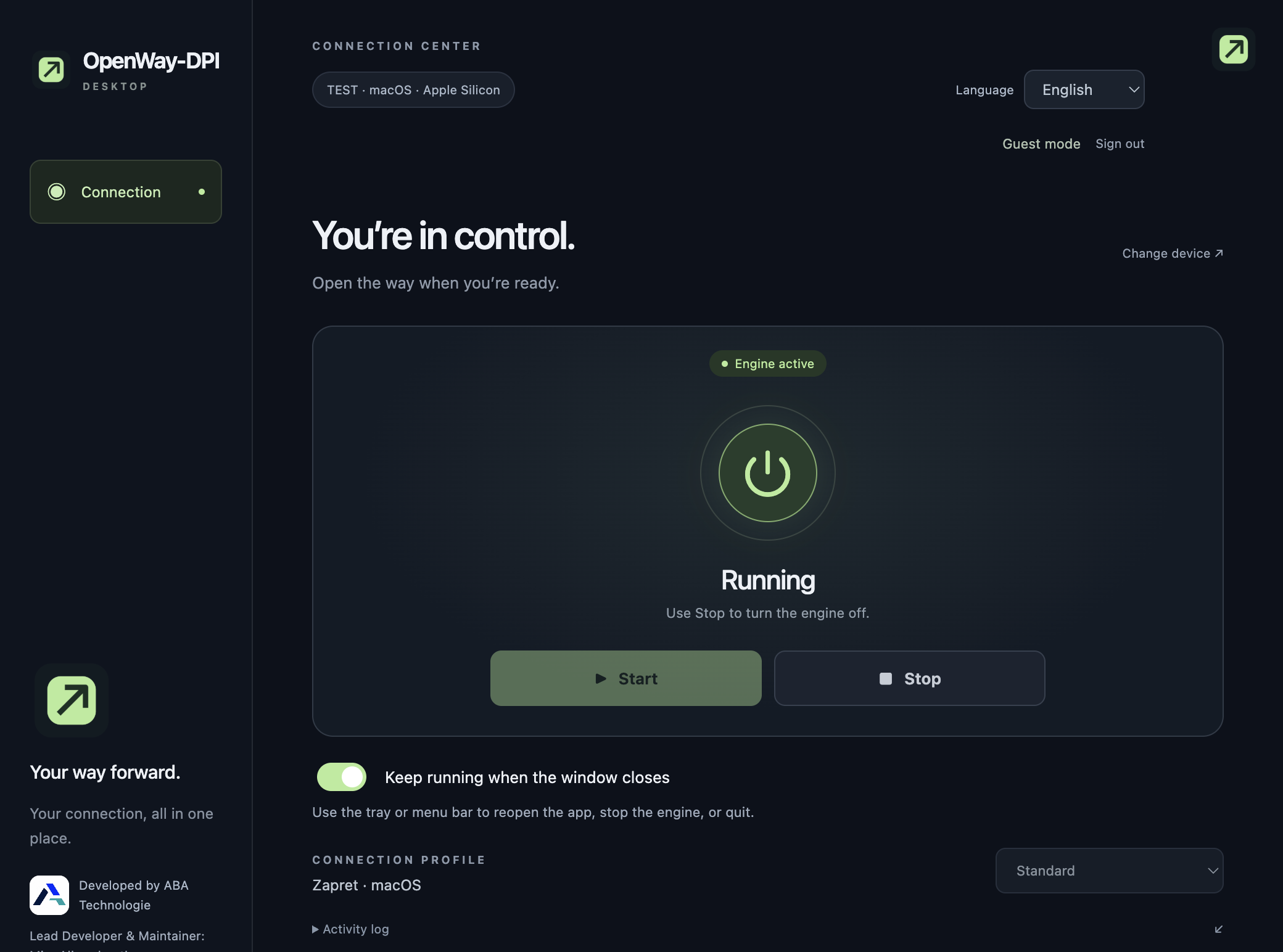
Manage GoodbyeDPI on Windows and Zapret on macOS. See engine status and activity in one place.
 OpenWayDPI
A clear, simple way to manage your DPI connection tools. Choose your computer. Press start. Stay in control.
Built for the way you connect.
01 / 03The tools you know, with an interface that stays out of your way.
Manage GoodbyeDPI on Windows and Zapret on macOS. See engine status and activity in one place.
Turn on background mode to keep the app running. Reopen it or stop the engine from your tray or menu bar.
English by default. Switch to Turkish or Arabic, with a right-to-left layout and a saved language preference.
You can get started without an account. Administrator permission is needed to manage the connection engine.
Choose your versionDownload and open the installer for your computer. After installation, open OpenWay-DPI from the desktop shortcut and choose “Try without an account”.
Select Windows or Mac, continue, and choose a connection profile when available.
Press Start and approve the system permission request. Use Stop when finished, or enable background mode.
Choose the package that matches your computer.
Windows 10 / 11 · Intel / AMD
Download installerEXE installer · Adds a desktop shortcut.macOS 13+ · M1 / M2 / M3 / M4
Download installerPKG installer · Installs the app and adds a desktop shortcut.Early release: Windows operation and clean Mac installation still need real-device validation. The Mac installer is for Apple Silicon (M-series) only. Packages are not publisher-certified or Apple-notarized, so your system may show a security warning. Quit OpenWay-DPI before installing an update.
No. It manages DPI bypass tools on your computer. It does not change your public IP address, hide your country, or create an encrypted VPN tunnel. Access depends on your network and is not guaranteed.
No. Choose “Try without an account”. Sign-in and registration are not active yet because the online account service has not been connected.
With background mode on, closing the window leaves the app running in the tray or menu bar. With it off, the engine stops before the app exits. “Stop and quit” always ends the connection.
Not yet. A Microsoft Store listing and a Chrome companion extension are planned. The future extension will require the desktop application.